August 17, 2026
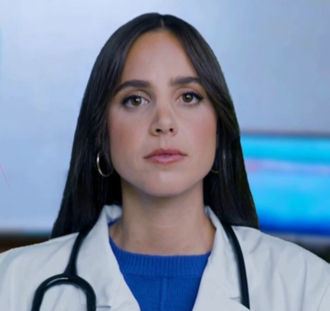
Dr. Olivia is now available to learners outside PHSU and partner schools, with the same tutoring under the limits of our textbook licensing.
New features
Dr. Olivia now tutors learners outside PHSU and partner schools. Dr. Olivia can now work with health sciences students who aren't enrolled at PHSU or one of its partner institutions — anyone studying toward a terminal licensure degree, whether that's MD, DO, PA, DMD, DDS, RN, MSN or DNP. Accounts on this footing are called Consumer accounts.
The tutoring itself is unchanged. Same Socratic method, same tutoring modes, same two- attempt rule, same clinical framing — along with interactive quizzes, generated diagrams, the end-of-session summary email, and a greeting that picks up where you left off. Because she isn't told which program you're in, she reads it from your questions instead: tell her your program, your year, or the exam you're sitting, and she'll hold onto it for the rest of the session.
Three things work differently, and all three come down to how the reference material behind her is licensed for learners outside a partner school:
Everything else you'd reach for is untouched: quizzes, images, PubMed and PubChem lookups, and your session history all behave exactly as they do for any other student.
- She won't cite a source. She still teaches from the same body of knowledge, but she explains it in her own words rather than naming a book, chapter or page — and she won't quote one. Ask her where something comes from and she'll tell you plainly that it's from her knowledge base rather than inventing a reference.
- No published textbook figures. Diagrams still appear when you ask to see something — they're generated for your question rather than taken from a publisher's book.
- No materials list. The panel of cited sources doesn't appear, since there are no citations to list.
(Admin) Two ways to set up a Consumer account. On the External Users admin page, Consumer now sits in the Experience dropdown alongside Student, Faculty and Support. Pick it when you're creating an account for someone outside the PHSU network; everything else about creating, editing and resetting external users is unchanged.
Canvas sign-ins can land there too. A partner institution can be marked as sitting outside the PHSU network in its configuration, and from then on its students are signed in as Consumers automatically, with no per-user setup. Faculty at that partner are unaffected and keep the faculty experience.
Consumer sessions count as student sessions in the admin dashboards, so your existing session, usage and sentiment reporting includes them with no change to how you read it.