June 1, 2026
Canvas LTI 1.3 launch for partner institutions, drug and compound lookups for pharmacology and biochemistry, response ratings, and images you can watch render.
New features
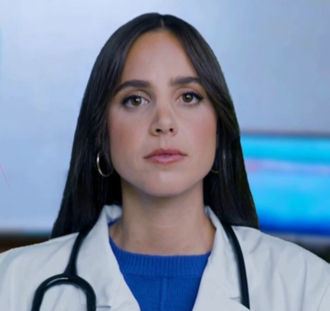
Canvas LTI 1.3 launch for partner institutions. Dr. Olivia can now be installed in a partner institution's Canvas as an LTI 1.3 (LTI Advantage) tool — students and faculty launch her right from inside a Canvas course. The launch keeps the normal Canvas sign-in, so Dr. Olivia still reads the student's own course materials on their behalf, and everything downstream (avatar, chat, materials, quizzes) works exactly as before.
Each partner is configured independently, and faculty are identified per institution. Existing PHSU sign-in is unchanged. Canvas admins: see the LTI 1.3 Setup guide.
ChEMBL drug lookups for pharmacology. Dr. Olivia now reaches into EMBL-EBI's ChEMBL database for drug pharmacology — the layer that sits next to PubChem and PubMed. Ask how a drug works, what it targets, what it's approved for, or what clinical phase it's in, and she'll pull the live record — mechanism of action, molecular target (resolved to a readable name like "Cyclooxygenase"), indications, and development phase — and drop it in your Materials panel.
Three references now divide the work by the shape of your question, and she picks automatically: ChEMBL for what a drug does, PubChem for what a molecule is (structure, formula, SMILES), and PubMed for what the research says. Ask something that spans two and you get both, side by side.
ChEMBL is fully open — no API key or setup required. And because the record carries the molecule's SMILES, the same "now draw it" trick that works after a PubChem lookup works here too. Full walkthrough in the ChEMBL Lookups guide.
Rate Dr. Olivia's responses. Every response from Dr. Olivia now has thumbs-up and thumbs-down buttons next to the timestamp. Click thumbs-up when a response was genuinely helpful, thumbs-down when it missed the mark, or click the active thumb again to clear your rating. Works in both the text chatbot and the avatar's transcript panel.
Ratings are stored per response, so we can spot patterns in what's landing well versus what isn't — whether that's a topic she consistently nails, a question type she struggles with, or a particular Socratic-vs-Faculty tone preference. There's no public leaderboard or visible score; the ratings feed our internal quality review only.
PubChem lookups for biochem. Dr. Olivia can now reach into NCBI's PubChem database the same way she already reaches into PubMed — but for compounds instead of papers. Ask for a molecular formula, weight, SMILES, IUPAC name, or any physicochemical property (LogP, polar surface area, hydrogen-bond donors/acceptors) and she'll pull the live record and drop it in your Materials panel.
The two databases divide the work naturally: "what does the research say about hydrogen bonding" still routes to PubMed (it's a paper question), while "what's the molecular formula of hydrogen peroxide" routes to PubChem (it's a compound question). You don't have to name the database — she picks based on the shape of the question.
Best part: when you then ask her to draw the structure she just pulled, she feeds PubChem's SMILES into the image generator. That produces a dramatically more accurate chemical structure than the un-grounded version, especially for molecules bigger than three atoms.
Full walkthrough in the PubChem Lookups guide. Your existing PubMed personal API key (if you set one up) is reused for PubChem — no second key needed.
Watch images render in progress. In the text chatbot, generated images now appear progressively — instead of a blank gray box for the full minute or two it takes to render, you'll see the picture come in as a rough draft first and sharpen into the finished diagram. It's immediate confirmation that something is actually happening, and a preview of what's on the way.
This kicks in for freshly generated images; instant cache hits (when someone at your school already asked for something similar) still appear right away. In the avatar, the full-screen image still arrives complete once it's ready.
Enhanced features
Dr. Olivia waits longer before responding. Several students reported Dr. Olivia jumping in too early — especially when they paused mid-question to look back at the material or gather their thoughts. The avatar's pause detection has been tuned to be less eager: short thinking pauses (looking down at a question, re-reading a stem, deciding how to phrase a follow-up) are no longer treated as "I'm done talking." She'll wait until you've actually finished before she starts speaking.
Tradeoff to know about: when you are finished, there may be a slightly longer beat before she replies. If that ends up feeling sluggish in real use, the sensitivity is now a config knob we can nudge back up per replica without another deploy.
Bug fixes
Generating images no longer get stuck loading forever. Some students reported the animated image placeholder spinning indefinitely — the diagram never appeared and the gray scanning box never went away. This happened when the connection briefly dropped during the 1–2 minutes an image takes to render: the finished image's "I'm ready" signal was sent while the page was momentarily disconnected, so it never arrived and the placeholder had no way to recover.
The placeholder now gives up on its own if nothing arrives in time and shows a clear "Image failed" state instead of scanning forever — so you know to simply ask Dr. Olivia for the image again rather than waiting on something that isn't coming.