May 17, 2026
Image and quiz generation no longer hold up the conversation — Dr. Olivia keeps teaching while they run in the background.
New features
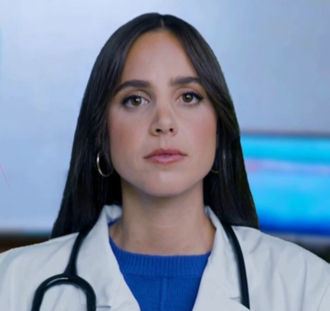
- Dr. Olivia shrinks to the corner while you look at an image. When an image opens, the avatar tile now shrinks (with a smooth animation) to a small floating window in the bottom- right of the left video panel — the transcript on the right stays untouched. You can keep talking to Dr. Olivia while interacting with the image, similar to a Zoom screen share. A small × on the avatar tile hides her entirely and the button morphs into a Show Dr. Olivia pill so you can bring her back with one click. Closing the image restores the normal layout automatically.
Enhanced features
Image generation no longer blocks the conversation. When you ask Dr. Olivia to draw, sketch, diagram, or visualize something, she now keeps teaching while the image renders in the background. The pending placeholder appears in your bubble immediately and the finished image arrives alongside her ongoing explanation — no more long awkward silences while the image generates.
See the Image Generation guide for the full breakdown of what to expect.
- No announcement. Dr. Olivia doesn't say "I'm putting one together for you" or "I sent you a diagram." She references the structures naturally as if the image were already on screen.
- Silent cache hits. When a similar diagram has already been generated for your institution, it's reused instantly without any caveat — just the image, no commentary.
- No more duplicates. The previous behavior could occasionally generate the same image twice if the avatar connection timed out mid-generation. That whole class of issue is gone.
Quiz generation now non-blocking. Practice quizzes ("quiz me on X", "test me on Y") now run on the same fire-and-forget pattern as image generation. Dr. Olivia tells you a quiz is coming and immediately bridges into a brief transition (setting up what's about to come) — she no longer pauses the conversation while the quiz is being put together. The interactive quiz overlay appears as soon as it's ready.
Images now appear inside Dr. Olivia's reply. In avatar mode, generated images used to land in a separate bubble below Dr. Olivia's response, which made them feel disconnected from the explanation. They now fold INTO her reply — the same look the text chatbot has always had — so the diagram sits right beside the text that's teaching you about it.
Dr. Olivia now tees up the image she's drawing. She used to teach as if the image were already on screen, which made Socratic follow-ups ("Walk me through what's happening here…") sound like they needed an immediate answer — even though you hadn't seen the image yet. She now briefly frames the question as "when the image renders you'll see X — once you can see it, walk me through…" so it's clear you should wait for the diagram before answering.
Dr. Olivia no longer interrupts to narrate image status. She used to say "I'm putting an image together for you" the moment you asked, and then check in every minute ("still working on it", "almost there", "this is taking a little longer than expected…") while it rendered. With image generation no longer blocking the conversation, those pop-ins clobbered the actual teaching response — especially when you'd already moved on to a new topic or asked for a second image.
She now stays silent about the image's status. The pending placeholder in the chat bubble is your visual signal that something's rendering, and her teaching response (about the topic itself) plays through naturally during the wait. If a generation ultimately fails the placeholder clears with a quiet failure state — just ask again.
(Internal) Avatar-mode timeout workarounds removed. With both image and quiz generation off the LLM completion's critical path, the avatar-mode "clean-close before long tool" plumbing (SendDoneEarly, ReceiveAvatarEcho, ConversationReconciler, the pre-tool spoken filler injection, the SuppressFillerMessage tool flag) has been removed. The completion now flows naturally for both avatar and text chatbot.
Bug fixes
Cached images now show up in the session email. When Dr. Olivia served a cached image (a diagram a classmate had already generated for the same prompt), it never made it into the post-session summary email. The email looked for images "generated by this request" and a cache hit doesn't generate anything. Fixed: the database now records every delivery of an image to a request, so cached and fresh images alike land in the email under the exchange that delivered them.
No more duplicate images from a single request. When you paused mid-sentence while asking for an image ("Show me… a normal ECG"), Tavus's voice-activity detector occasionally split your speech into two turns, and Dr. Olivia would generate two images. The system now waits until your full thought is complete before kicking off generation, so only the final version of your request produces an image — typically the more complete one. The placeholder appears immediately as before; the only change is that one image arrives instead of two.