
My Settings
My Settings is your personal control panel. It opens as a dialog from the button in the Selection-page header. All settings here belong to your real account — even when an admin is impersonating someone via Act-As, the settings shown still belong to the admin's real identity (so personal API keys are never exposed to the impersonated user).
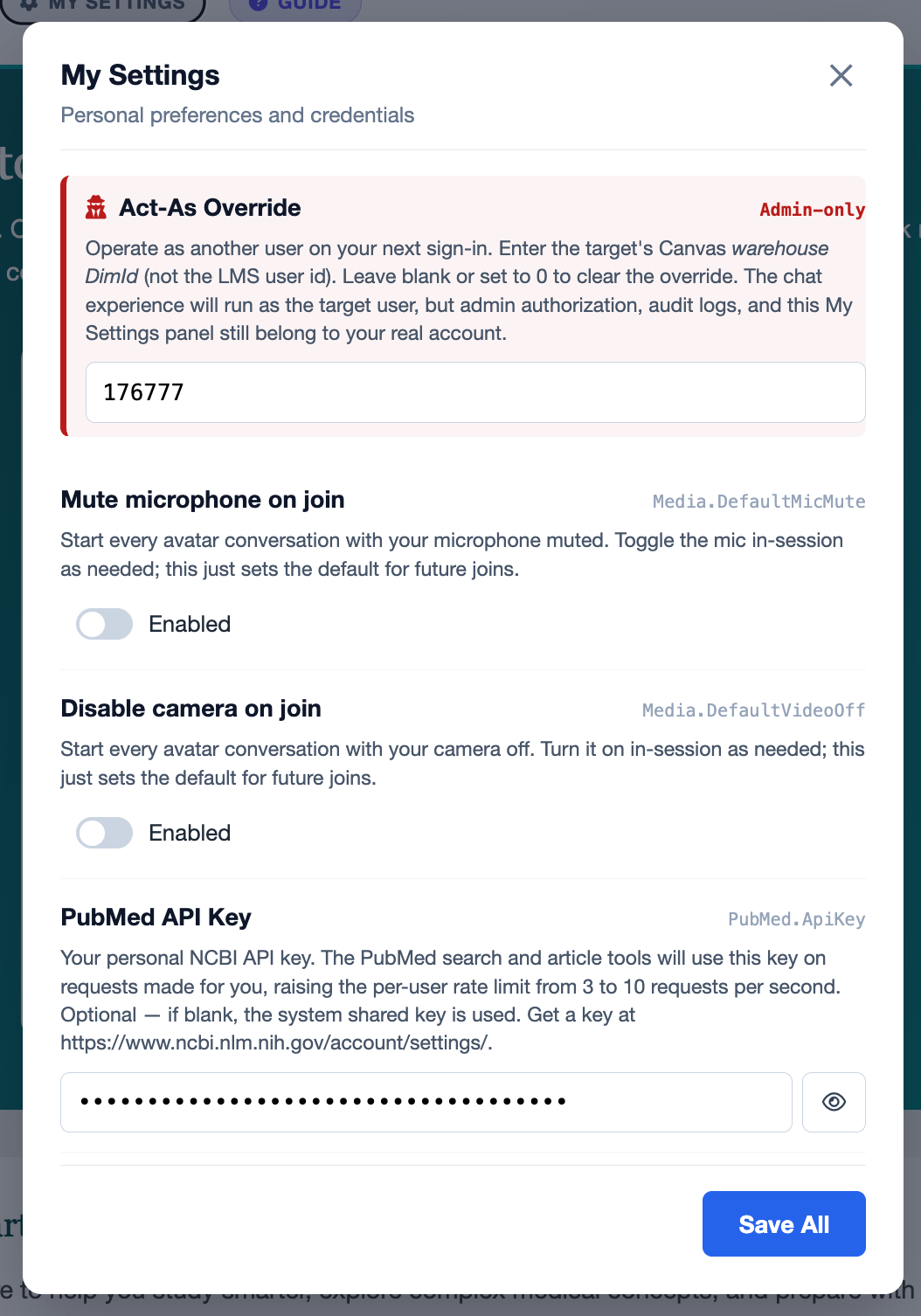
Available Settings
| Setting | What it does |
|---|---|
PubMed.PersonalApiKey |
Your personal NCBI E-utilities API key. Replaces the system-wide rate limit (3 req/sec) with your higher personal quota (10 req/sec). Stored encrypted; never shown in plaintext after save. |
Media.DefaultMicMute |
When enabled, the pre-call media dialog opens with the microphone toggle pre-set to muted. You can still flip it before joining. |
Media.DefaultVideoOff |
When enabled, the pre-call media dialog opens with the camera toggle pre-set to off. Useful if you usually start audio-only. |
Saving
One Save All button at the bottom commits every setting on the page in a single round-trip. After saving you'll see a green confirmation banner and a prompt to sign in again — new values take effect on your next sign-in.
Boolean Toggles
Mic-mute and video-off use the same toggle-switch styling as the pre-call media dialog — the two surfaces are visually consistent so the controls feel like the same thing. Off ≡ "use system default", which today means mic on / camera on.
Password-Style Inputs
Sensitive fields (like the PubMed API key) are rendered as password inputs with an reveal button. Clicking reveal toggles the field to plaintext temporarily so you can verify what you've pasted.
Admin-Only Section
If you are an administrator, you'll see an additional Act-As Override section at the top of the dialog with a red border. This section is described in full on the Act-As (Impersonation) page.
To clear an Act-As override: blank the field (or set it to 0) and click Save All. The system writes a soft-clear (Active=false) row to the audit history rather than deleting — so there's always a record of when an admin started and stopped impersonating.